iPhone · iPad · Mac
Work in the app, use photos and documents, and choose private iCloud for your own Apple devices or share selected company records.
 Available for iPhone, iPad and Mac. The App Store shows the current version for your device.

FOR INDEPENDENT CLEANING BUSINESSES
A better working day starts with a clearer view. Keep customers together, price work thoughtfully, plan the jobs and send an invoice you can stand behind.
iPhone · iPad · Mac · Android · tablet · webapp
iPhone, iPad and Mac: available on the App Store. Android phone and tablet: awaiting approval.
14 days free · No card · No automatic charge
IPHONE · IPAD · MAC · ANDROID · TABLET · WEBAPP
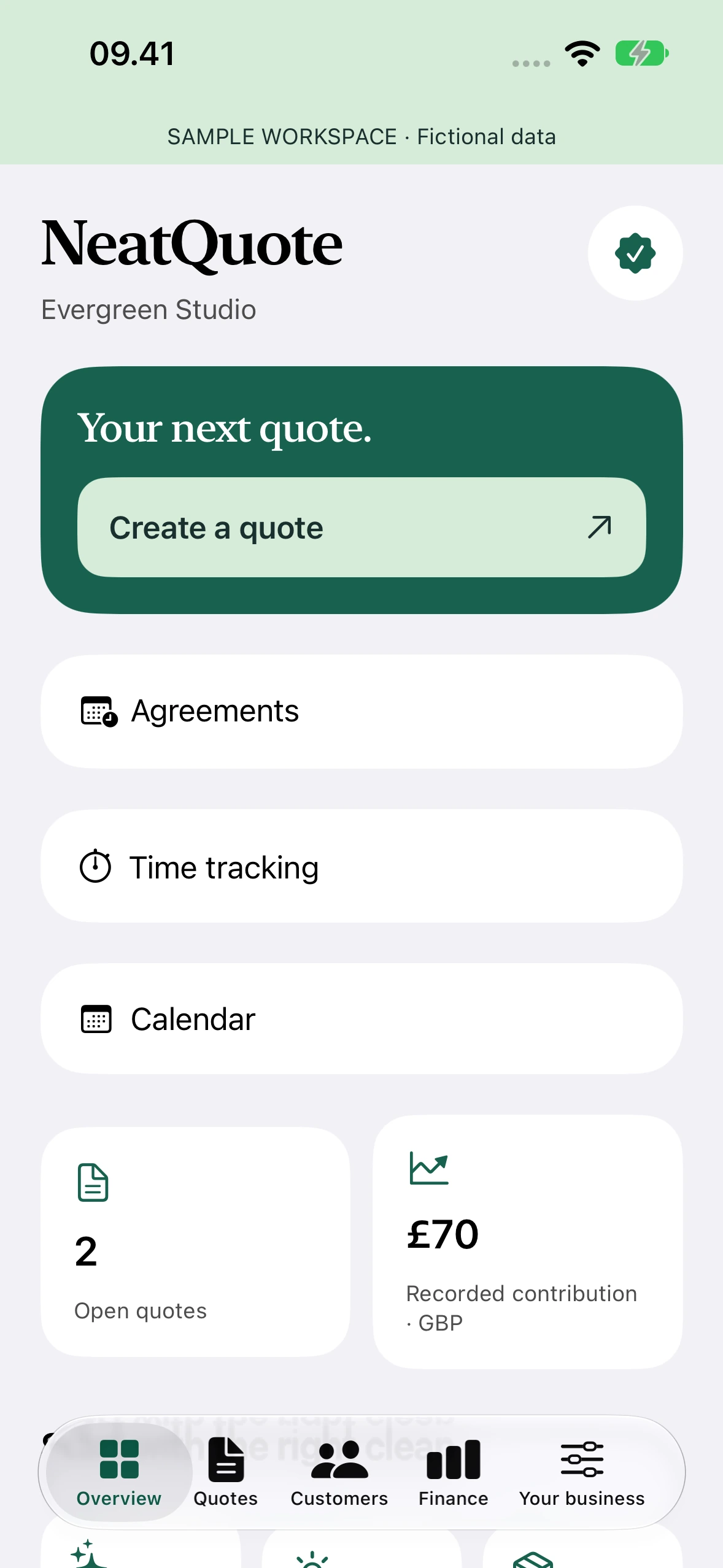
iPhone and Android phone at the customer. iPad and Android tablet for a bigger view. Mac and the web app at your desk. Choose the platform that fits the job.
Work in the app, use photos and documents, and choose private iCloud for your own Apple devices or share selected company records.
Available for iPhone, iPad and Mac. The App Store shows the current version for your device.An Android app for phones and tablets. Use your company login, create customers and documents, and share the relevant company records.
Submitted to Google Play. Downloads open after approval.Open your shared company customers and documents in a browser on Mac, Windows or tablet. No separate desktop installation is needed.
Availability checked 25 November 2026. The stores determine final availability and local prices.
NEATQUOTE
Estimate time, labour and costs. See what remains before you send the quote.
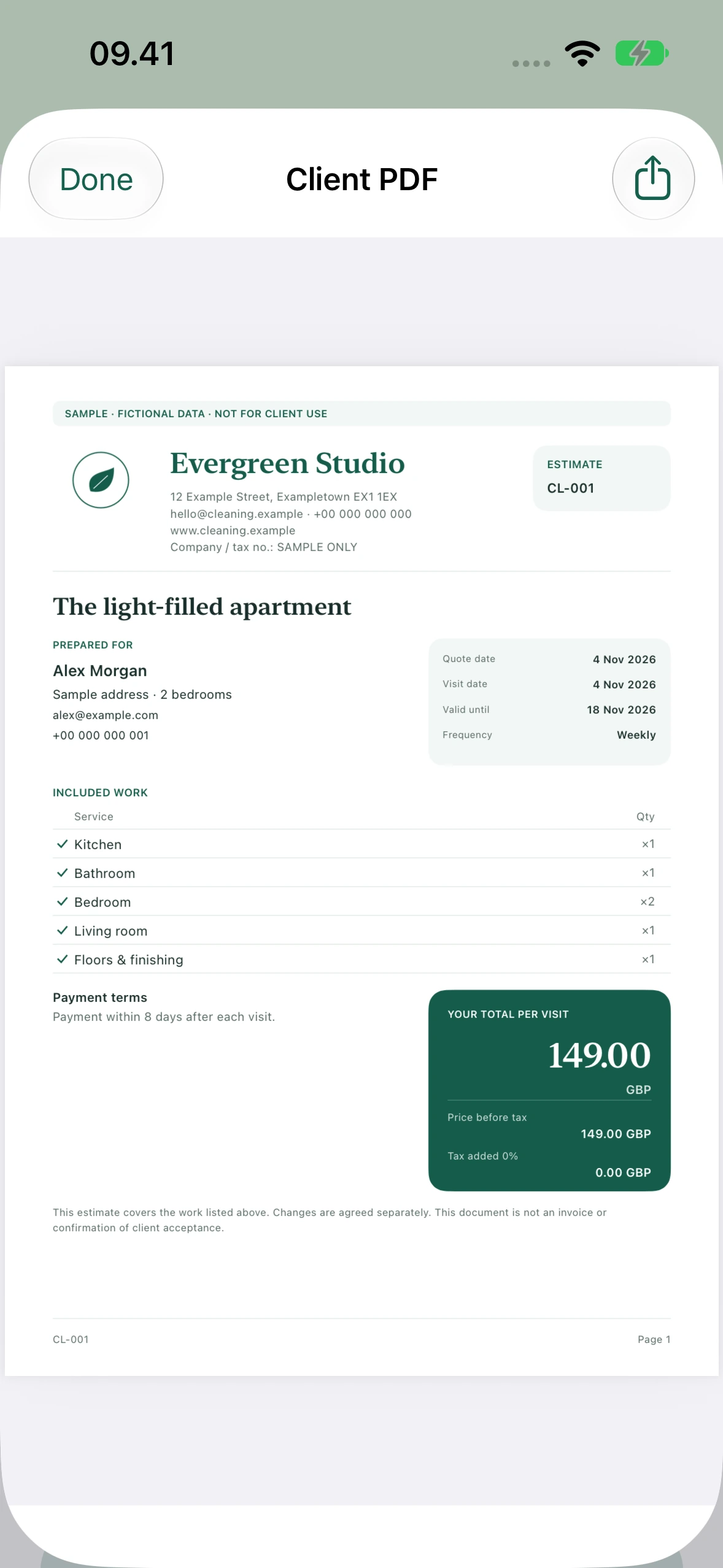
Your logo and your agreement on a professional PDF. Private calculations and internal notes stay out.
Plan visits, track time and record the work. Give recurring customers a routine you can repeat.
Review the invoice, share it with the customer and record payment. Compare the actual figures with your quote.
A CLEARER WORKING DAY
The latest improvements help you move from the first enquiry to completed documentation and an invoice.
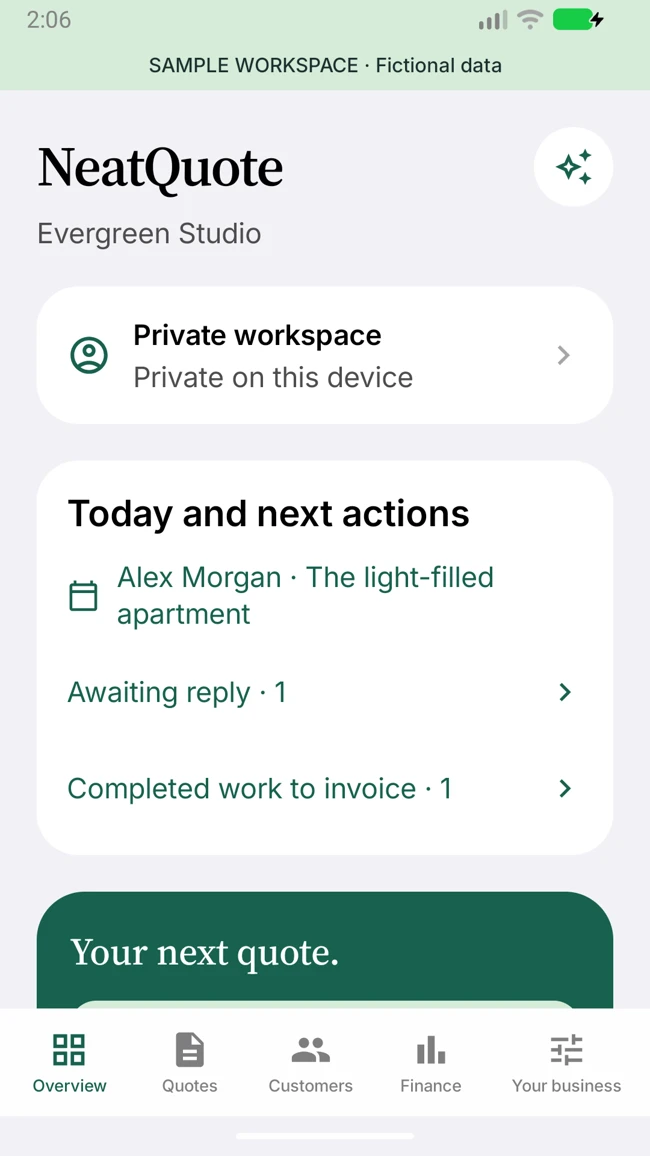
Today’s visits, unanswered quotes, completed work to invoice and overdue invoices appear together on the overview.
Choose early whether you want help calculating or already know the customer’s price. Describe the work that price covers.
A separate local working draft keeps an unfinished edit so you can carry on after an interruption.
Mark quotes declined, see expired quotes and archive old work. Export CSV in the optional Danish Excel format.
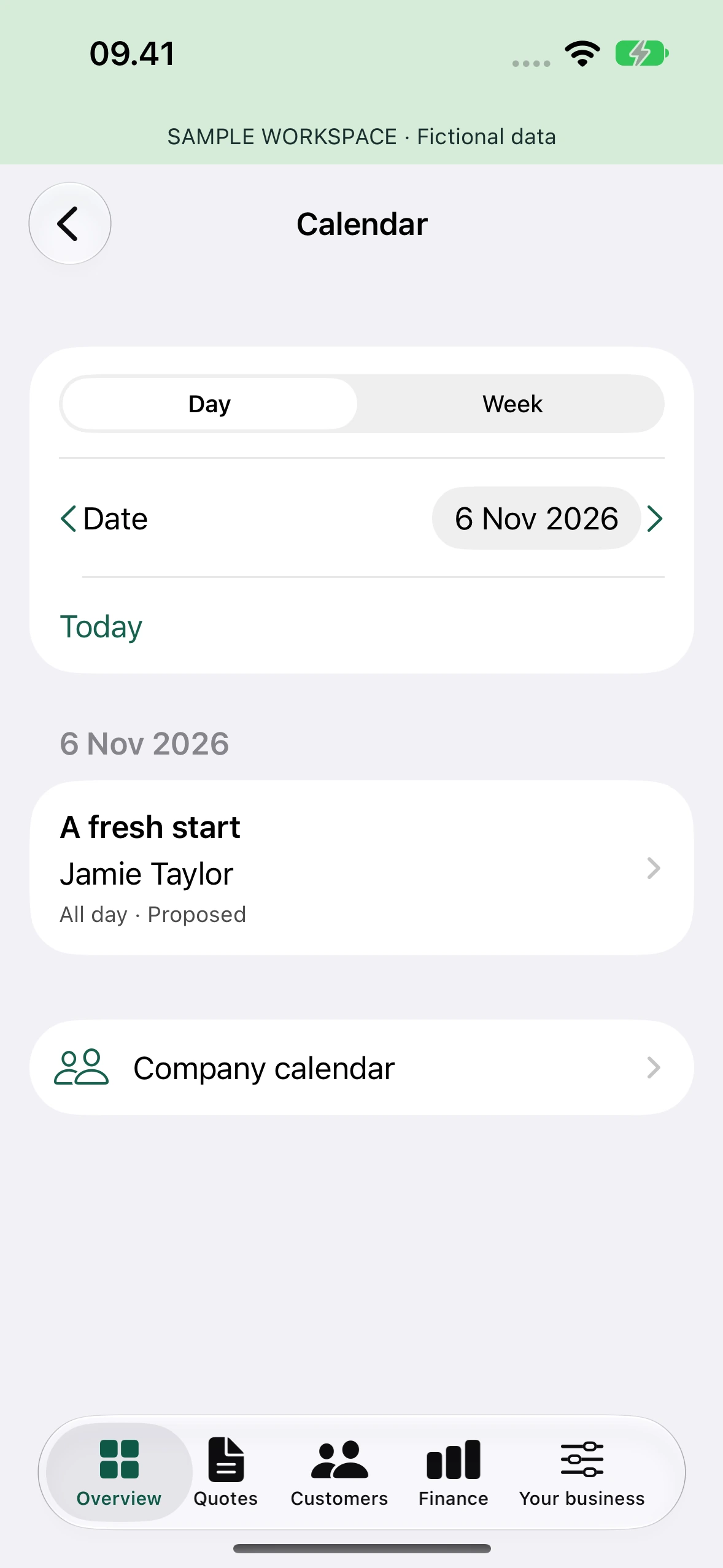
THE WORKING DAY
See individual visits in the calendar. Use your company workspace for jobs you explicitly share and assign to the team. Your personal workspace and internal calculations remain separate.
THE CUSTOMER DOCUMENT
The customer needs the agreement, not your cost price. NeatQuote keeps internal notes, calculations and results out of the customer document.
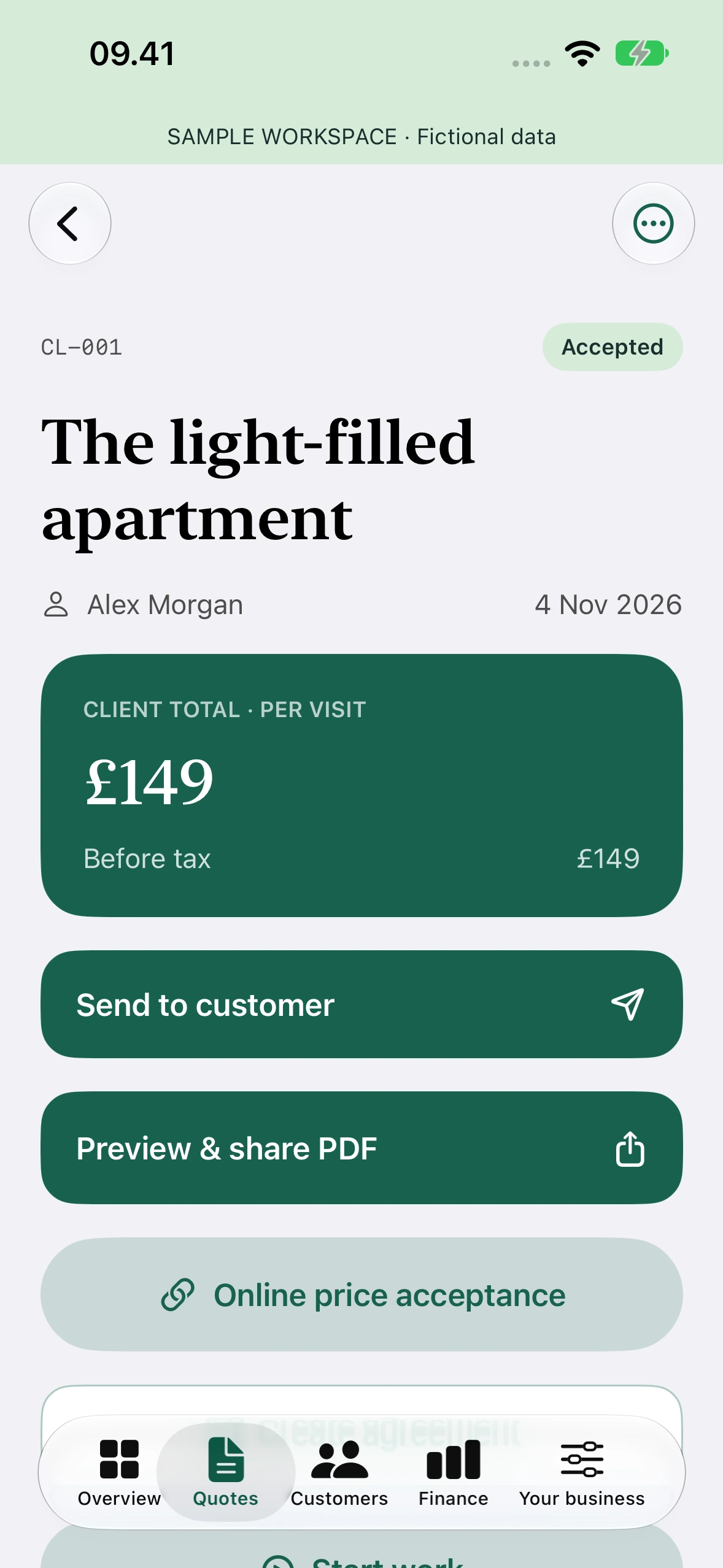
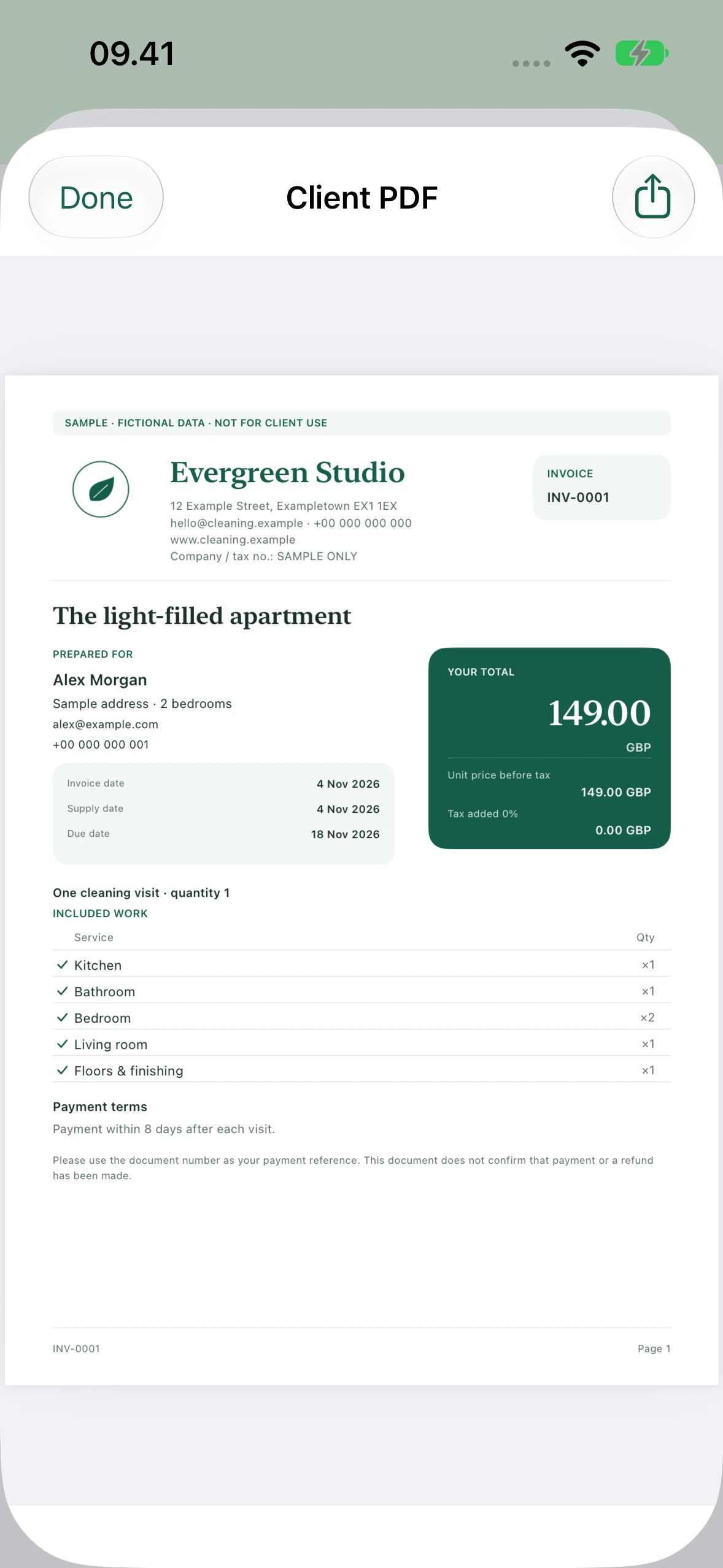
FROM QUOTE TO INVOICE
Create the invoice from accepted work. Put your business’s payment details on new documents and keep track of recorded and outstanding payments. Saved originals do not change when your settings do.
Make it clear where your customer should pay. Add your business’s own bank details to new invoices and record payment after checking your account. Your customer does not need the app.
Optional online card payments use the business’s own supported Stripe account, subject to Stripe approval, country and currency availability. The business pays its provider fees. The app subscription is purchased separately through Apple or Google Play.
PDF · CSV · CONNECTIONS
Share PDFs and export customer, quote and invoice registers as CSV. Keep original document numbers and files when working in your accounting software.
We are preparing connections to systems including Dinero, e-conomic, QuickBooks and Xero. More systems will be added over time. Available connections appear in the app.
Which system do you use? ↗Tell us its name and your country so we can prioritise what businesses need.
WORKING TOGETHER
Use the company workspace when the office and team need the same shared information. Each employee uses their own login and the permissions granted by the owner.
Share the relevant customers, work and documents with the company. Signing in does not automatically move your private workspace.
Private iCloud connects your own Apple devices. The company workspace supports collaboration across Apple, Android and the browser. These are separate workflows.
A PLAN THAT FITS
One owner. Individual employee logins. Choose the size and billing period that fit your business.
Denmark · DKK · VAT included
Solo
199 DKK/month
For running the business on your own.
Team S
399 DKK/month
Owner + up to 3 employees.
Team M
699 DKK/month
Owner + up to 10 employees.
Team L
1,099 DKK/month
Owner + up to 25 employees.
Annual billing gives you a lower total price.
Danish launch prices, including VAT. The exact local price and access appear in the app before purchase. Accounting connections are not sold as active until available.
GET STARTED
An updated user guide and videos with real app screens. Find one step or follow the complete workflow.
Step-by-step help for customers, quotes, work, invoices, sharing and access on Apple, Android and the web. Read online or download the PDF.
Open the user guideThe complete Apple app walkthrough is retained and accompanied by a new video covering the latest changes. Danish and English captions included.
Watch the videosNo. PDFs can be shared as ordinary files. With an active online payment connection, customers open their link in a browser. They do not need the app.
The trial needs no card and starts no automatic payment. The Apple trial starts with your first App Store download; Android verifies access through the company account and Google Play. Changing device does not restart the company trial. Saved documents remain readable and exportable. Buying a subscription starts the store’s billing terms at purchase.
Employees use individual logins in the company workspace under the owner’s business plan. They can access only explicitly shared jobs and permitted information.
The active connection list in the app shows what can be connected. It is currently empty. PDF and CSV are usable now. Suggest your system at [email protected].
NeatQuote helps with quotes, jobs and customer documents. PDF/CSV exports are not automatic bookkeeping, tax filing or structured electronic invoicing. Use a compatible accounting system for requirements that apply to your business.
NeatQuote is developed for iPhone, iPad, Mac, Android phones, Android tablets and the web. See current availability above. The app supports Danish, English, German, French, Spanish, Italian and Polish. Your own customer text is not translated automatically.
iPhone, iPad and Mac: available on the App Store.Android phone and tablet: awaiting approval.14 days free · No card · No automatic charge