iPhone · iPad · Mac
Work in the app, use photos and documents, and choose private iCloud for your own Apple devices or share selected company records.
 WorkFiled for iPhone, iPad and Mac has been submitted and is awaiting Apple approval.

WORK & DOCUMENTATION / PREUS STUDIO
For independent tradespeople and small businesses. Keep customers, quotes and jobs together, record time, materials and photos, let the customer acknowledge the work and review the invoice before issue.
iPhone · iPad · Mac · Android · tablet · webapp
Apple: awaiting approval. Android phone and tablet: awaiting approval.
IPHONE · IPAD · MAC · ANDROID · TABLET · WEBAPP
iPhone and Android phone at the customer. iPad and Android tablet for a bigger view. Mac and the web app at your desk. Choose the platform that fits the job.
Work in the app, use photos and documents, and choose private iCloud for your own Apple devices or share selected company records.
WorkFiled for iPhone, iPad and Mac has been submitted and is awaiting Apple approval.An Android app for phones and tablets. Use your company login, create customers and documents, and share the relevant company records.
Submitted to Google Play. Downloads open after approval.Open your shared company customers and documents in a browser on Mac, Windows or tablet. No separate desktop installation is needed.
Availability checked 25 November 2026. The stores determine final availability and local prices.
HOW IT WORKS
Choose your trade, then add what was agreed and what you actually did: people × hours, materials, equipment, travel, expenses and photos. Private rates and notes stay yours.
Your customer sees the work and quantities only — no prices — adds comments if needed, confirms and signs with a finger. If they can’t sign, the record says so.
The completed record becomes an A4 PDF that doesn’t change, with your logo and public company details. A correction becomes a new revision; the original stays as it was.
People × hours, materials, equipment, travel and expenses, plus photos and optional trade details for 13 trades.
A recipient’s copy without prices, the customer’s name, role and comments, and a drawn signature.
Professional A4 PDFs carrying your company, not ours. Corrections never overwrite the original.
Create invoice and credit note PDFs and manually record bank transfers received outside the app.
A CLEARER WORKING DAY
The latest improvements help you move from the first enquiry to completed documentation and an invoice.
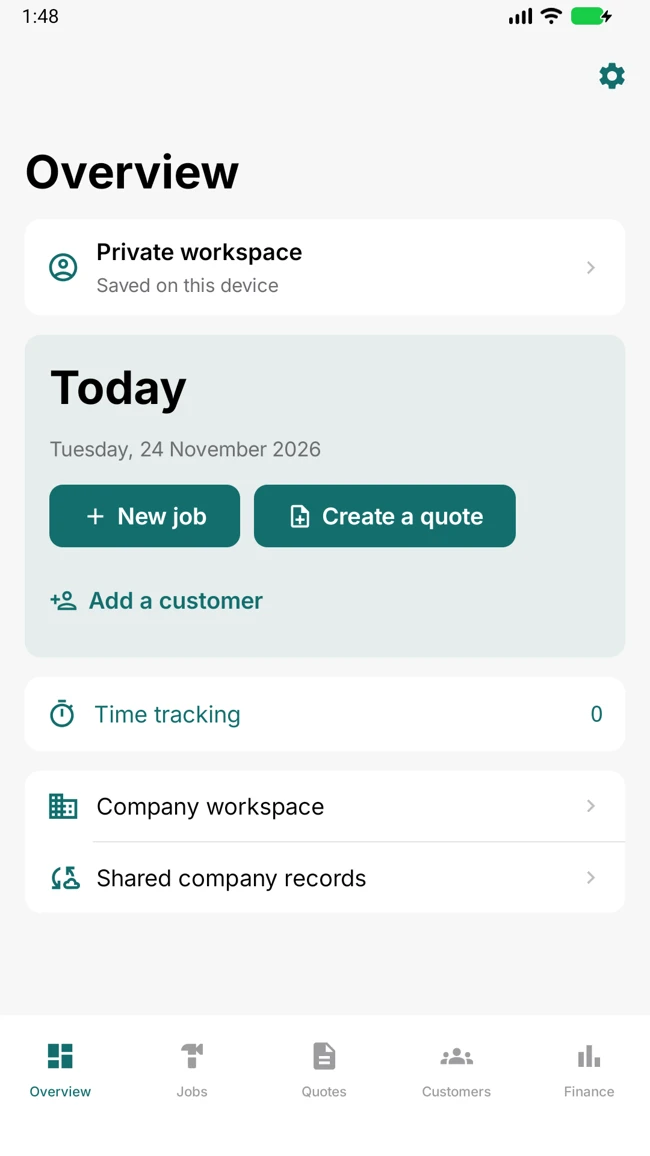
Direct photo, dictation and time actions make it easier to capture the work before moving on.
Reuse the customer and project, start the job from the quote and compare the agreed work with the actual records.
Review the invoice draft before issue. Preserve originals and use credit notes for corrections.
Share selected records, manage employee permissions and use the company calendar. Decline and archive quotes when the enquiry is over.
A LOOK AT THE APP
Examples from WorkFiled on iPhone with fictional data. Layout and controls vary between devices.
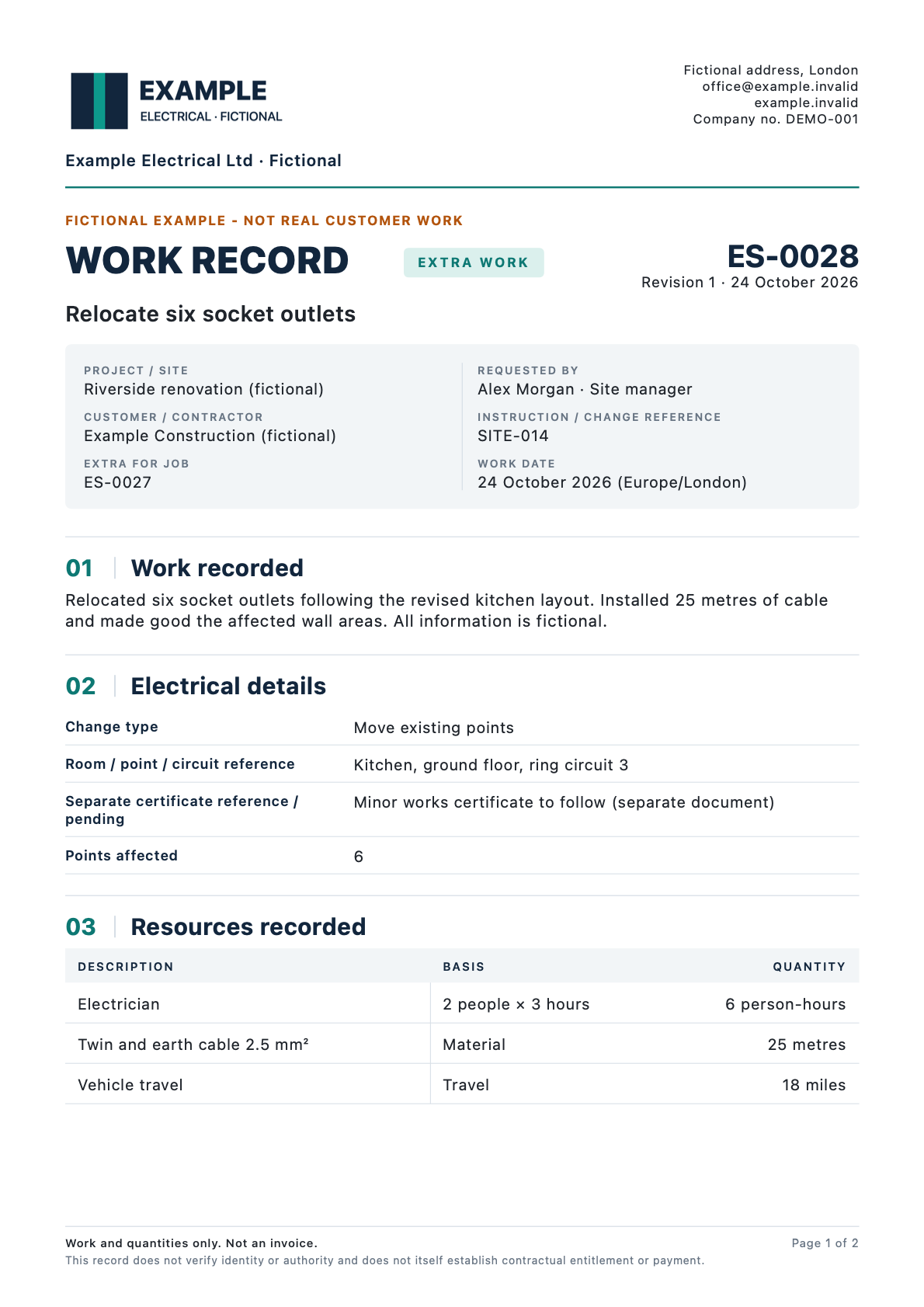
THE FINISHED DOCUMENT
A real two-page sample PDF generated by the app from fictional data. Your own logo and company details lead the page; WorkFiled doesn’t put its brand on your customer’s document.
WORKING TOGETHER
Use the company workspace when the office and team need the same shared information. Each employee uses their own login and the permissions granted by the owner.
Share the relevant customers, work and documents with the company. Signing in does not automatically move your private workspace.
Private iCloud connects your own Apple devices. The company workspace supports collaboration across Apple, Android and the browser. These are separate workflows.
WORKFILED PRO
14 days free, with no card and no automatic charge. Continue with a monthly or annual subscription when the app is available in your store.
199 DKK /month
or 1,999 DKK a year. Danish prices including VAT. Your store shows the local price and plan before purchase.
Manage purchases in the Apple or Google account that pays. Saved documents remain readable, exportable and available for backup after access expires.
GET STARTED
An updated user guide and videos with real app screens. Find one step or follow the complete workflow.
Step-by-step help for customers, quotes, work, invoices, sharing and access on Apple, Android and the web. Read online or download the PDF.
Open the user guideThe complete Apple app walkthrough is retained and accompanied by a new video covering the latest changes. Danish and English captions included.
Watch the videosPrice acceptance belongs to the quote. Handover acknowledgement concerns the work and quantities shown. Payment is recorded separately on the invoice.
No. Customers can receive an ordinary PDF and do not need to install the app.
Shared company records and original documents work across platforms. Camera, local storage, private backups and device features follow each platform. See the user guide for the specific differences.
Export PDF and CSV. The optional e-conomic connection uses your business’s own account and can transfer a reviewed draft. Bookkeeping and sending take place in the accounting system.
HELP & INFORMATION
Support, privacy and terms for WorkFiled. Questions are welcome at [email protected].
Questions about WorkFiled?
Contact us about WorkFiled