Plan your year
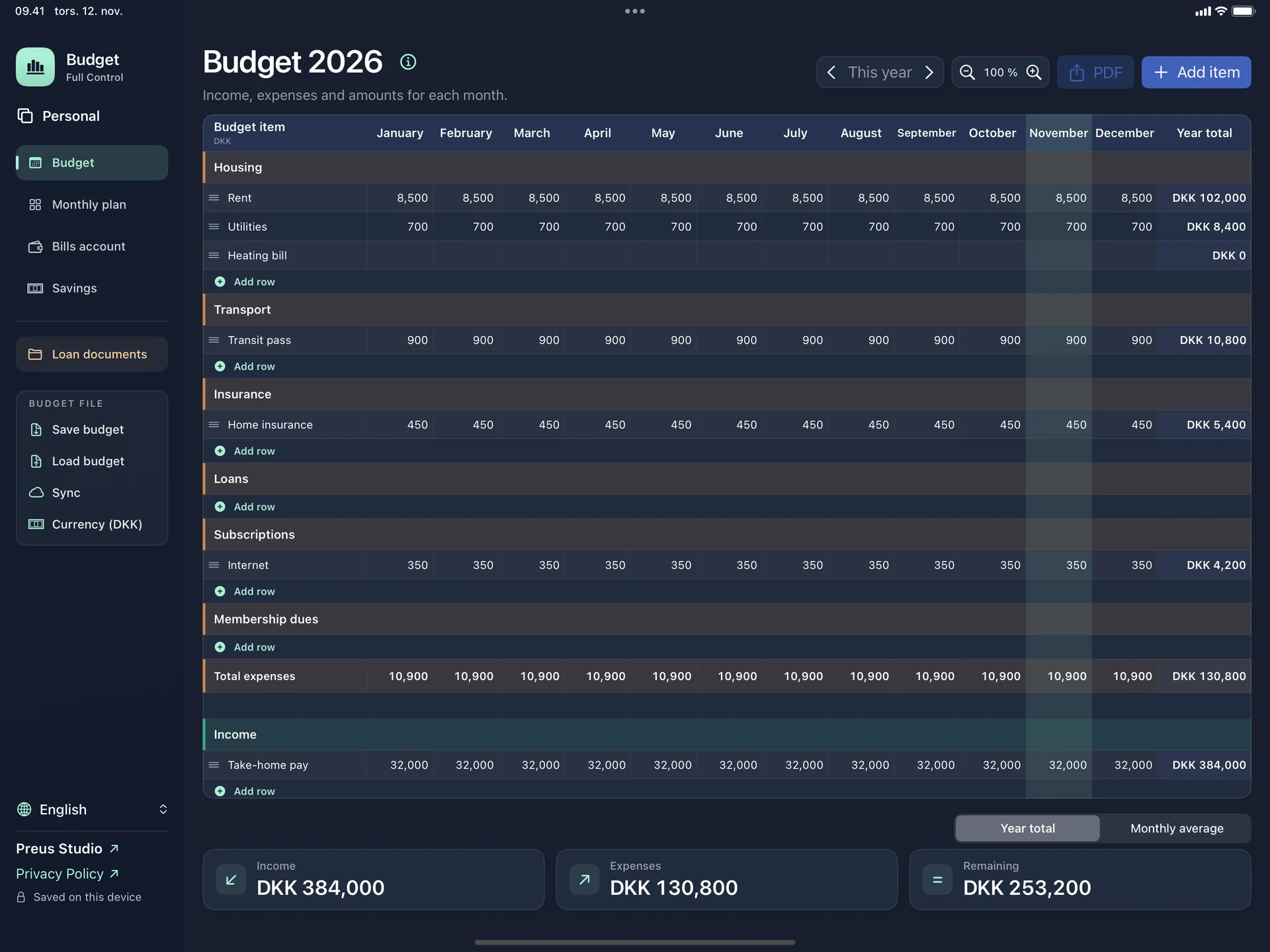
Enter income and expenses in the months they fall. Budget calculates what is left for the year and the average per month.

PERSONAL FINANCE
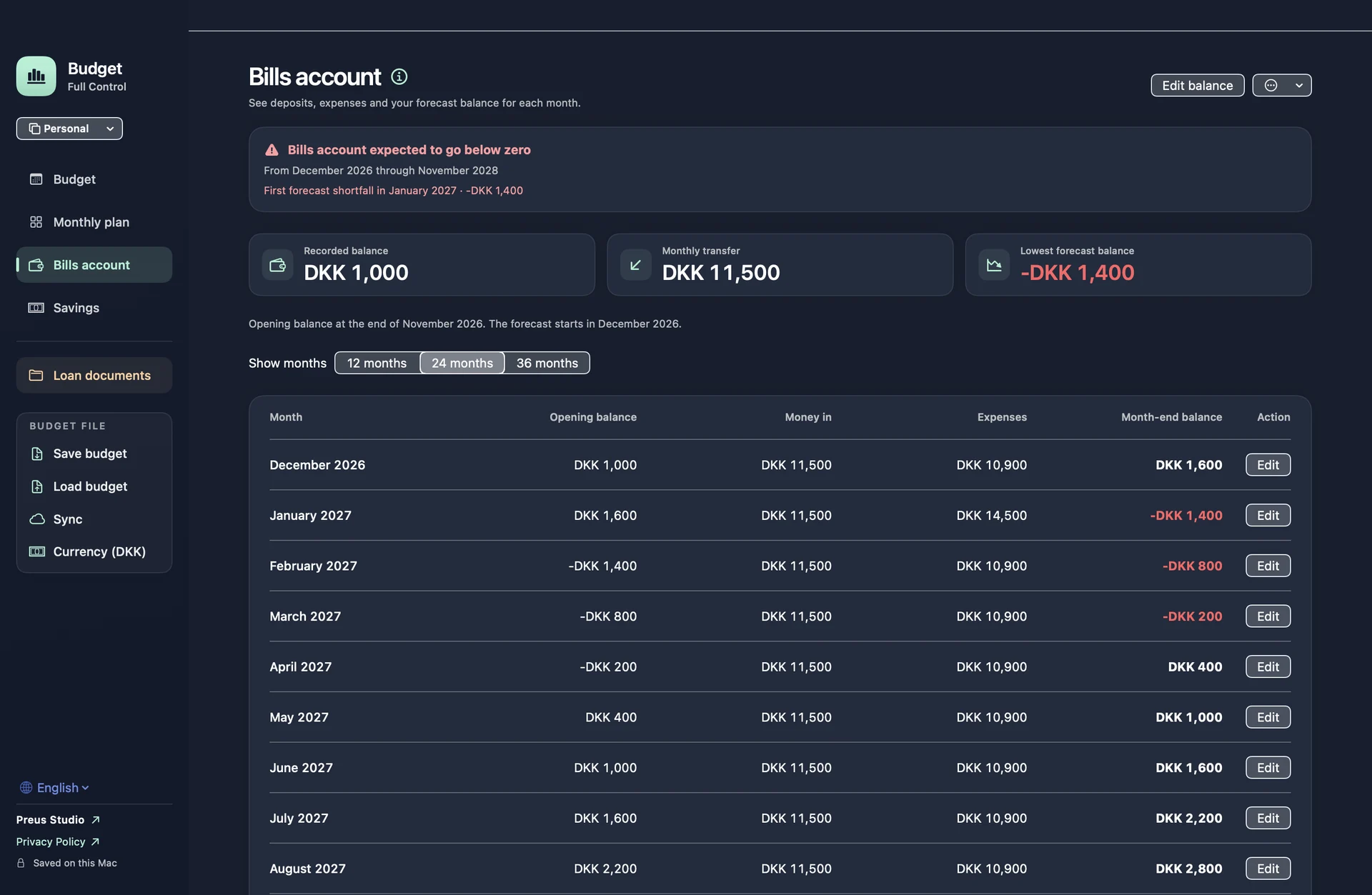
With Budget Pro, you can see the first month your bills account could fall short. Try a different monthly transfer in the app before changing anything at the bank.
The annual budget is free. Budget Pro is a one-time purchase.
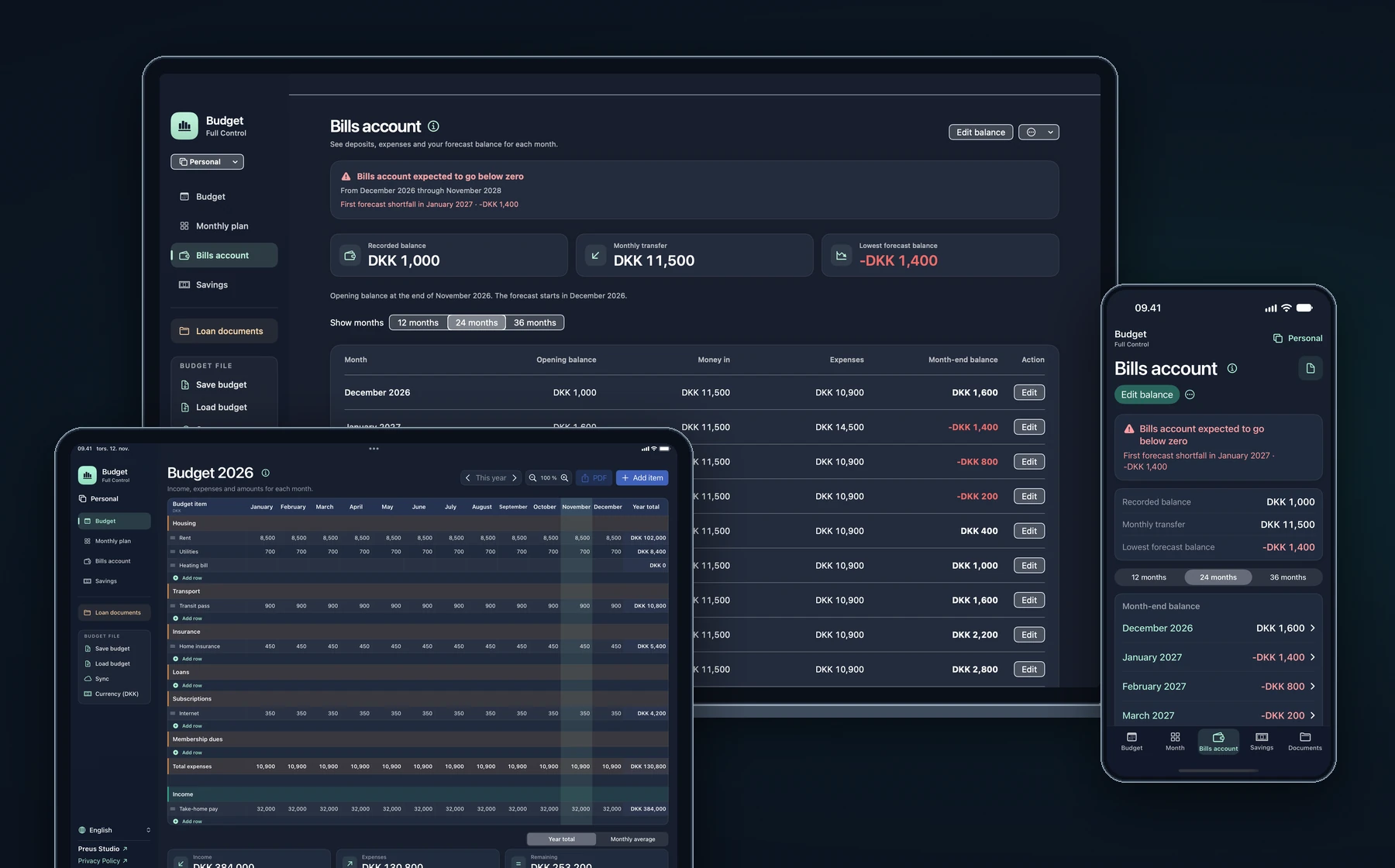
Explore the main features with a sample budget on iPhone, iPad and Mac.
Enter income and expenses in the months they fall. Budget calculates what is left for the year and the average per month.
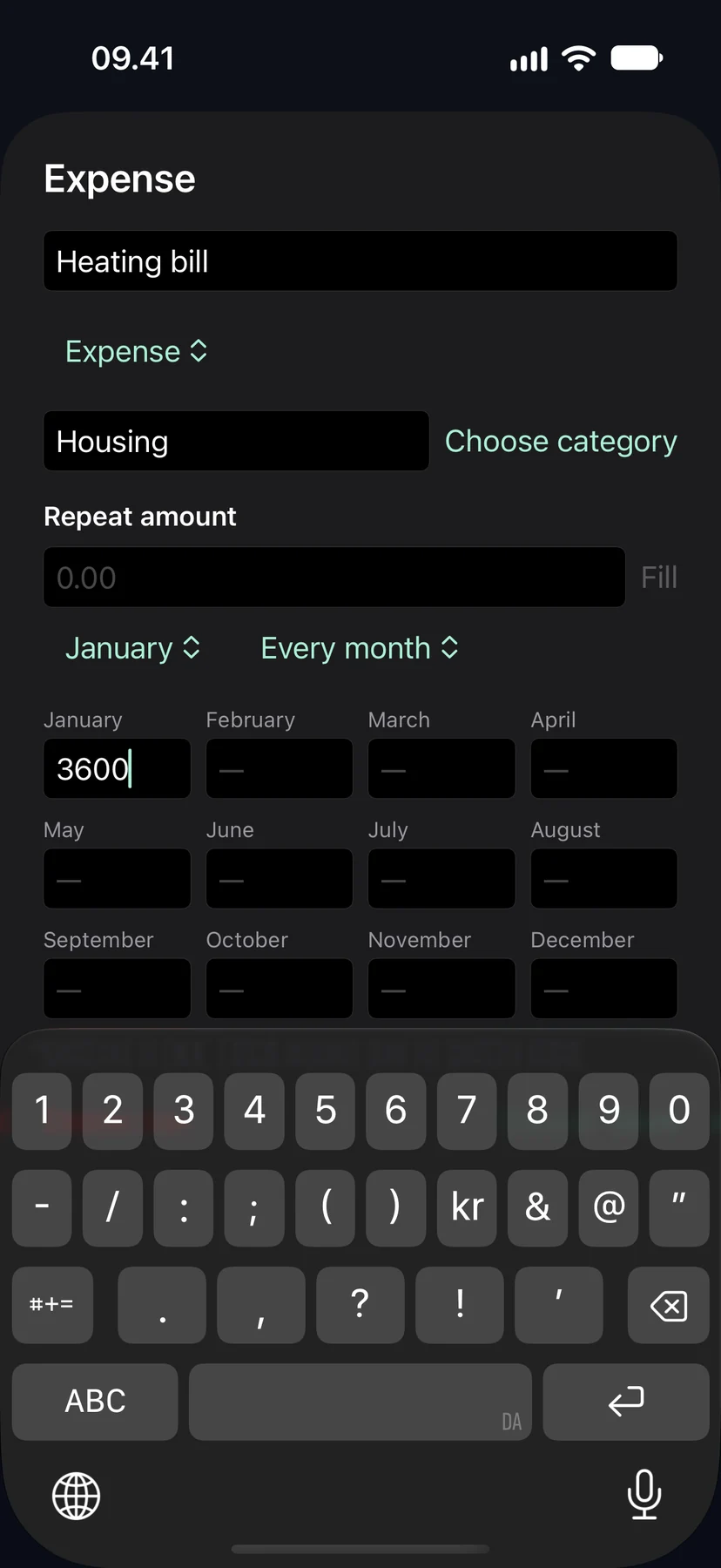
Tap Add item and choose New expense. Name it, choose a category and enter the amount in the month it is due.
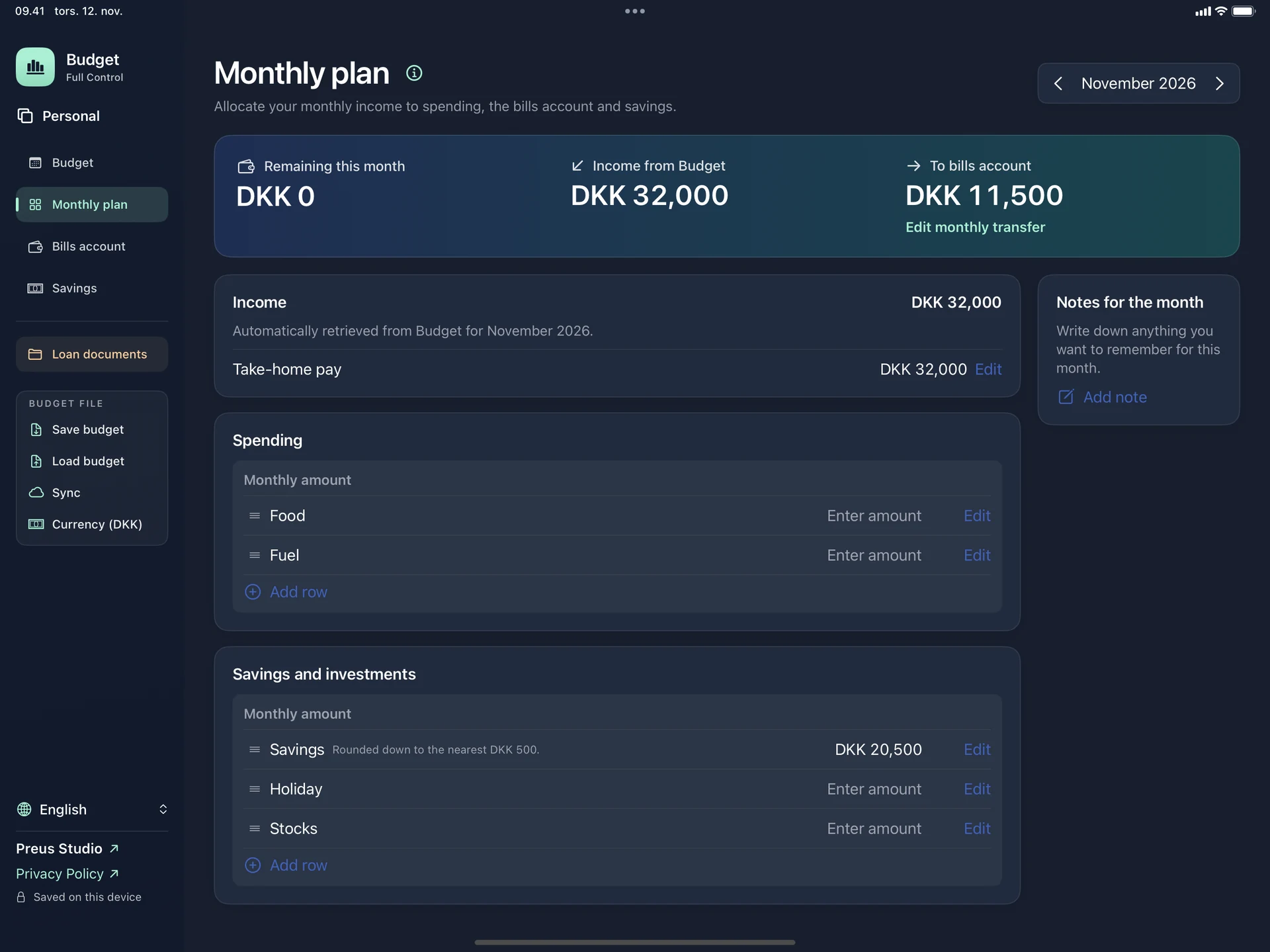
Open Monthly plan and choose a month. Your income comes from the annual budget. Add what you want to put towards spending and savings.
Enter your balance in Bills account. The forecast combines it with your planned transfers and expenses. The example shows a DKK 1,400 shortfall in January.
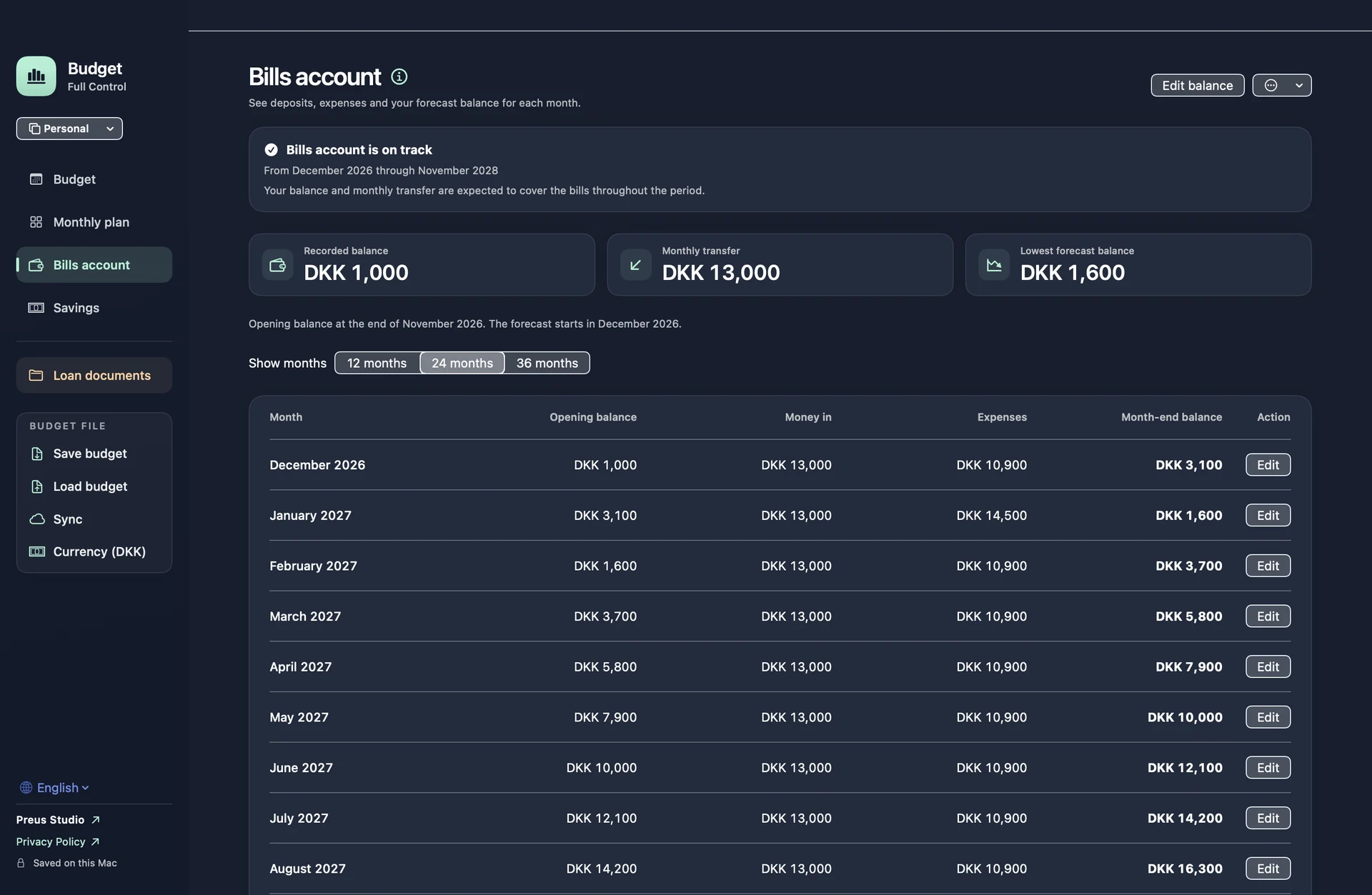
Edit the monthly transfer in Monthly plan, then check the new forecast in Bills account. In this example, a DKK 13,000 transfer keeps the account above zero.
Set a start date and balance in Savings. See what you have set aside in Monthly plan and record purchases paid from savings.
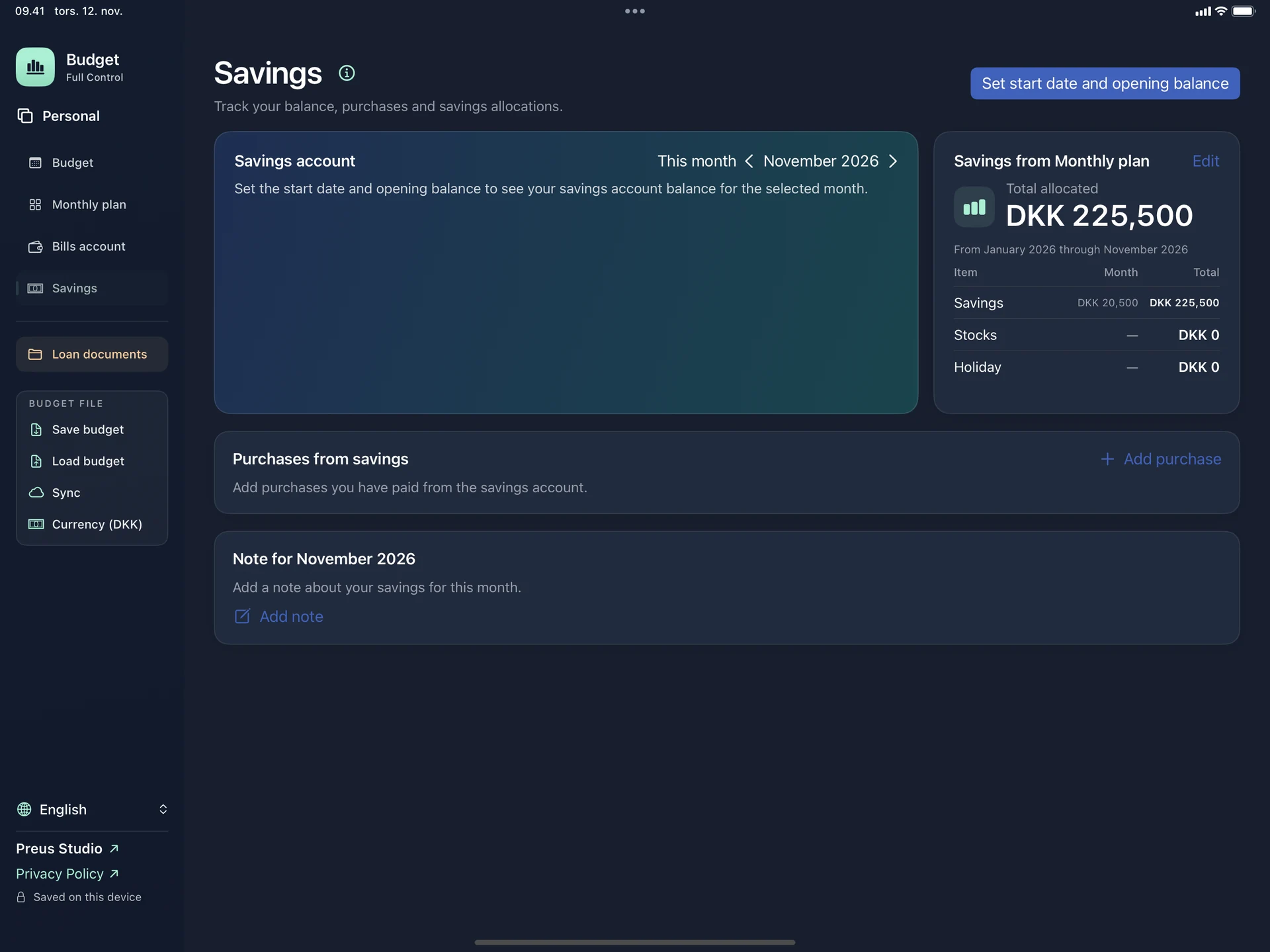
A one-time purchase unlocks Monthly plan, Bills account, Savings, loan documents and PDF export. The App Store shows your local price.
Choose from 19 languages and turn on iCloud sync to keep the same budget on iPhone, iPad and Mac.
See how to add an expense and spot a potential shortfall in your bills account. The video uses fictional figures.